The world of cryptocurrency is constantly evolving, and with it comes a slew of new challenges and opportunities. One of the biggest challenges for crypto investors is keeping their assets safe from cyber-attacks and hacks. In response to this challenge, the Trezor Model T was introduced as a hardware wallet solution that prioritizes security and usability.
In this Trezor Model T Review, we will take an in-depth look at the Trezor Model T, exploring its features, pros, and cons. By the end of this article, you should be able to determine if the Trezor Model T is the right hardware wallet for your cryptocurrency assets.
Overview of Trezor Model T
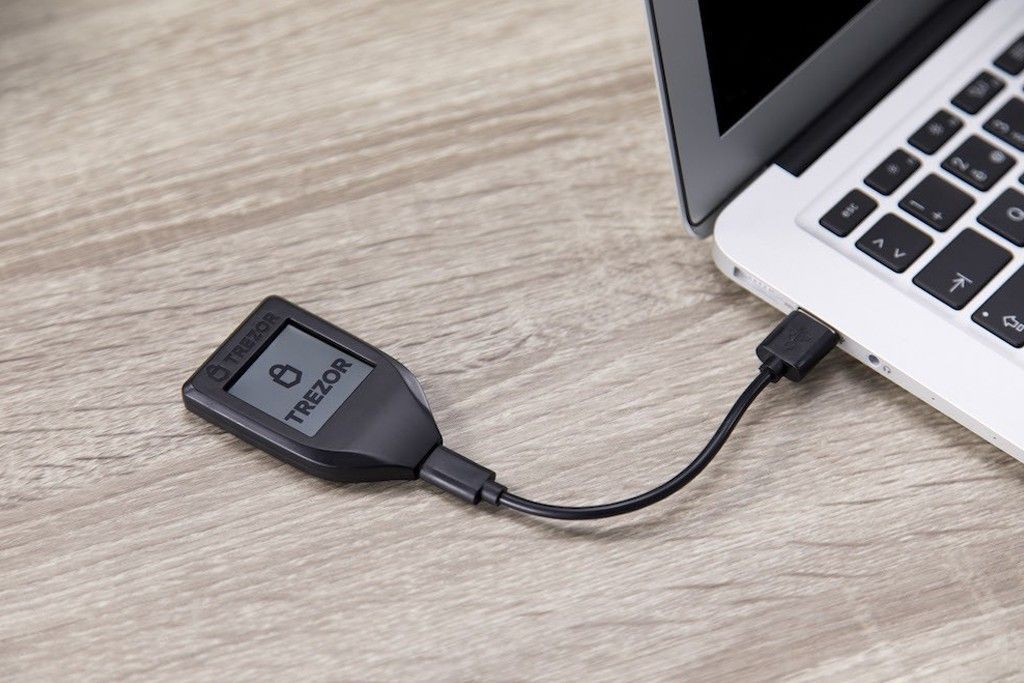
The Trezor Model T is a hardware wallet that enables users to store, manage, and protect their cryptocurrency assets. It was launched in 2018 by SatoshiLabs, the same company that created the original Trezor One. The Trezor Model T features a touchscreen display and a USB-C connection, making it easy to use and connect to your computer or smartphone.
The Trezor Model T supports over 1,600 cryptocurrencies and tokens, including Bitcoin, Ethereum, Litecoin, and many others. It also supports multiple accounts, enabling users to manage multiple wallets from a single device.
One of the unique features of the Trezor Model T is its open-source firmware, which means that the code that runs the device is publicly available for review and scrutiny. This transparency helps to ensure the security and integrity of the device, making it a trustworthy option for users who prioritize security.
→ Visit now: www.Trezor.io
Features of Trezor Model T
- Touchscreen Display: The Trezor Model T features a 240×240 pixel color touchscreen display that makes it easy to navigate and manage your cryptocurrency assets.
- USB-C Connection: The Trezor Model T uses a USB-C connection for easy and fast connectivity to your computer or smartphone.
- Secure Chip: The Trezor Model T uses a secure chip that is designed to protect your cryptocurrency assets from cyber attacks and hacks. The chip is certified to Common Criteria EAL6+ and FIPS PUB 140-2 Level 3, which are some of the highest security certifications in the industry.
- Passphrase Support: The Trezor Model T supports passphrase encryption, which adds an additional layer of security to your wallet. With passphrase support, even if your device is stolen or lost, your assets will remain safe and secure.
- Multi-Account Support: The Trezor Model T supports multiple accounts, enabling you to manage multiple wallets from a single device. This feature is particularly useful for users who hold different cryptocurrencies or tokens.
- Easy Backup and Recovery: The Trezor Model T features a simple and easy backup and recovery process, ensuring that you can recover your assets even if your device is lost or damaged.
- Open-Source Firmware: The Trezor Model T uses open-source firmware, which means that the code that runs the device is publicly available for review and scrutiny. This transparency helps to ensure the security and integrity of the device.
Pros of Trezor Model T

Security: The Trezor Model T is one of the most secure hardware wallets on the market, with its secure chip and passphrase encryption support.
Usability: The Trezor Model T is very easy to use, with its touchscreen display and simple interface.
Multi-Account Support: The Trezor Model T supports multiple accounts, enabling users to manage multiple wallets from a single device.
Open-Source Firmware: The Trezor Model T uses open-source firmware, which ensures that the device is transparent and trustworthy.
Compatibility: The Trezor Model T is compatible with a wide range of platforms, including Windows, macOS, Linux, Android, and iOS.
Large Supported Cryptocurrencies: The Trezor Model T supports over 1,600 cryptocurrencies and tokens, making it one of the most versatile hardware wallets on the market.
User Support: The Trezor team provides excellent customer support, with a user-friendly website, extensive FAQs, and a responsive support team.
→ Visit now: www.Trezor.io
Cons of Trezor Model T
- Price: The Trezor Model T is priced higher than many other hardware wallets on the market, which could be a barrier to entry for some users.
- Limited Mobile App Support: While the Trezor Model T is compatible with both Android and iOS, its mobile app support is limited compared to other hardware wallets.
- Touchscreen Sensitivity: Some users have reported that the touchscreen can be less sensitive than expected, which could lead to frustration when navigating the device.
- No Wireless Connectivity: The Trezor Model T does not support wireless connectivity, which means that users must connect the device to their computer or smartphone via a USB-C cable.
- Limited Capacity: The Trezor Model T has limited storage capacity, which could be a concern for users who hold a large amount of cryptocurrency.
Price
The Trezor Model T is a premium hardware wallet, and its price reflects its quality and features. The device is priced at $169, which may seem expensive compared to other wallets on the market. However, the device's security and ease of use make it worth the investment, especially if you're holding a significant amount of digital assets.
Supported Cryptocurrencies
The Trezor Model T supports over 1,000 cryptocurrencies, including Bitcoin, Ethereum, Litecoin, and Ripple. The device supports ERC-20 tokens, which are tokens built on the Ethereum blockchain. The Trezor Model T also supports Bech32 addresses, which are SegWit-compatible addresses that offer lower transaction fees and faster transaction times.
User Interface
- The Trezor Model T has a user-friendly interface that makes it easy to navigate and operate. The device's touchscreen makes it easy to select options and enter information. The device also has a built-in keyboard, which you can use to enter your PIN code and passphrase.
- The device has a simple and intuitive setup process that takes only a few minutes to complete. You can set up the device using either a computer or a mobile phone. The Trezor Model T supports multiple languages, including English, Spanish, French, German, and Japanese.
- The Trezor Model T also has a web-based interface, which you can use to manage your digital assets. The web interface is easy to use and offers advanced features such as coin control, which allows you to specify which coins you want to spend when making a transaction.
Security Features
The Trezor Model T is designed with security in mind, offering several features to keep your digital assets safe. The device's PIN code and passphrase ensure that only you can access your wallet. The device also has a built-in recovery seed, which you can use to recover your wallet if you lose or damage the device.
The Trezor Model T uses a secure element chip, which is a tamper-resistant chip that stores your private keys. The device also uses two-factor authentication, which requires you to confirm transactions using the device's touchscreen and physical buttons.
The device's firmware is open-source, which means that anyone can review the code and ensure that there are no vulnerabilities or backdoors. The Trezor Model T also supports multi-signature transactions, which require multiple signatures to authorize a transaction, adding an additional layer of security.
→ Visit now: www.Trezor.io
Ease of Use
The Trezor Model T is easy to use, with a simple and intuitive interface. The device's touchscreen and built-in keyboard make it easy to enter information and select options. The device's setup process is straightforward and takes only a few minutes to complete.
The device's web interface is also easy to use, with advanced features such as coin control that are easy to access and use. The web interface is also available in multiple languages, making it accessible to users worldwide.
Customer Support
SatoshiLabs, the company behind the Trezor Model T, offers excellent customer support. The company has an extensive knowledge base on its website, which includes FAQs, guides, and tutorials. If you have any issues with your device, you can contact their support team via email or live chat, and they will assist you promptly.
The company also has an active community of users who share their experiences and offer support to new users. The Trezor Model T has an active subreddit, and the company also has a presence on social media platforms such as Twitter and Facebook.
Trezor Model T vs. Other Hardware Wallets
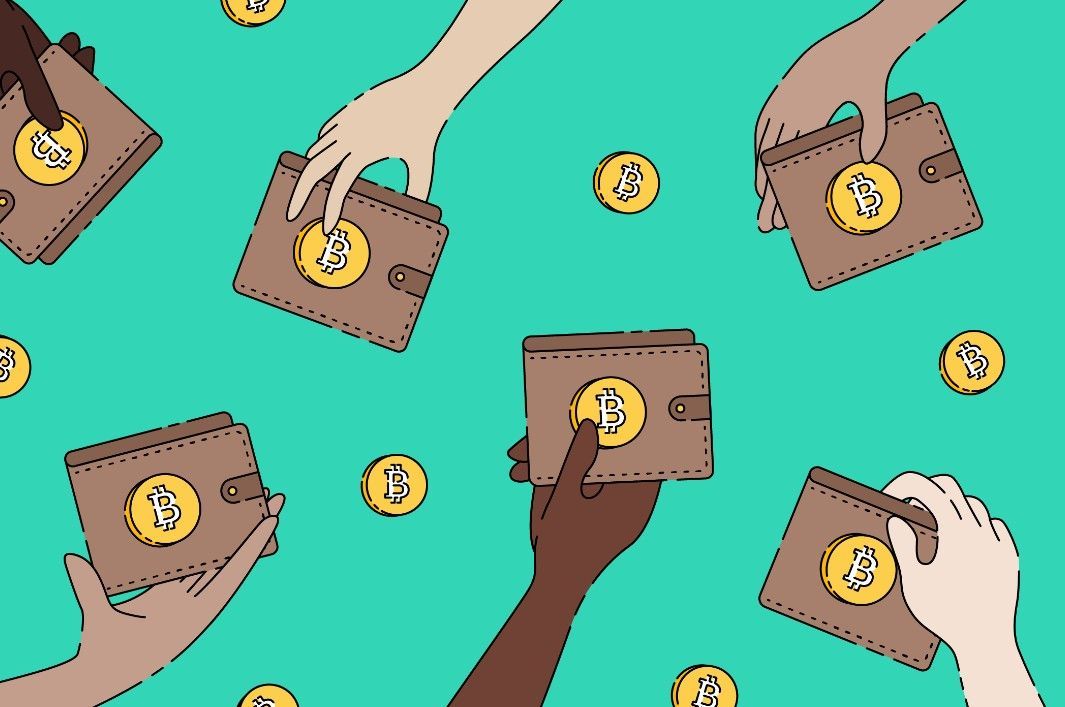
Hardware wallets are digital wallets that store your private keys offline, away from potential hacks and cyber attacks. While the Trezor Model T is one of the most popular hardware wallets on the market, there are several other options available. Let's take a look at the differences between the Trezor Model T and other hardware wallets.
Ledger Nano S
The Ledger Nano S is a popular hardware wallet developed by Ledger. It is smaller and less expensive than the Trezor Model T, making it a good choice for those on a budget. The Ledger Nano S has a button and screen interface, which may take some getting used to. It supports fewer cryptocurrencies than the Trezor Model T but still supports over 1,000 coins and tokens. The Ledger Nano S also has a smaller screen and no touchscreen, which may make it less convenient to use.
→ URL: www.Ledger.com
KeepKey
The KeepKey is another hardware wallet developed by Shapeshift. It is larger and heavier than the Trezor Model T, but it has a larger screen and a more traditional button and screen interface. The KeepKey supports fewer cryptocurrencies than the Trezor Model T but still supports over 40 coins and tokens. The KeepKey has a sleek and modern design and is less expensive than the Trezor Model T, making it a good choice for those on a budget.
→ URL: www.KeepKey.com
Coldcard
The Coldcard is a hardware wallet designed for advanced users who value security and privacy. It is larger and more expensive than the Trezor Model T but offers advanced security features such as a microSD card for storage and a built-in camera for verifying transactions. The Coldcard supports fewer cryptocurrencies than the Trezor Model T but still supports over 30 coins and tokens. The Coldcard has a button and screen interface, which may take some getting used to.
→ URL: www.Coldcard.com
BitBox02 (www.shiftcrypto.ch)
The BitBox02 is a hardware wallet developed by Shift Crypto. It is smaller and less expensive than the Trezor Model T and has a sleek and modern design. The BitBox02 supports fewer cryptocurrencies than the Trezor Model T but still supports over 1,500 coins and tokens. The BitBox02 has a button and screen interface, which may take some getting used to.
How to Setting up a Trezor Model T

Setting up a Trezor Model T is a straightforward process that takes only a few minutes. Here are the steps to set up your Trezor Model T:
→ Visit now: www.Trezor.io
Step 1: Unbox the Trezor Model T
When you receive your Trezor Model T, open the box and take out the device and all the accessories.
Step 2: Connect the Trezor Model T to your computer or mobile phone
Connect the Trezor Model T to your computer or mobile phone using the USB-C cable that came with the device. You can also connect the device using Bluetooth if your computer or mobile phone supports it.
Step 3: Install the Trezor Bridge or Trezor Suite
To use the Trezor Model T, you need to install the Trezor Bridge or Trezor Suite. The Trezor Bridge is a small software that enables communication between the Trezor Model T and your computer. The Trezor Suite is a desktop application that allows you to manage your digital assets.
You can download the Trezor Bridge or Trezor Suite from the Trezor website: www.Trezor.io
Step 4: Create a new wallet
Once you have installed the Trezor Bridge or Trezor Suite, open the application and select “Create a new wallet” from the options. Follow the prompts to create a new wallet.
Step 5: Set up your PIN code
After creating your new wallet, you will be prompted to set up your PIN code. The Trezor Model T has a touchscreen interface that allows you to enter your PIN code using the device's display.
Step 6: Write down your recovery seed
After setting up your PIN code, the Trezor Model T will display a recovery seed. This recovery seed is a list of 24 words that you can use to recover your wallet in case you lose your device or forget your PIN code.
Write down the recovery seed on a piece of paper and store it in a safe place. Do not store it on your computer or mobile phone as it could be compromised if your device is hacked or stolen.
Step 7: Confirm your recovery seed
After writing down your recovery seed, the Trezor Model T will ask you to confirm the recovery seed by entering some of the words in the correct order.
Step 8: Set up your Trezor Model T
After confirming your recovery seed, your Trezor Model T is now set up and ready to use. You can use the device to send and receive digital assets and manage your wallet using the Trezor Suite or other compatible wallets.
FAQs
- What is a hardware wallet? A hardware wallet is a type of digital wallet that stores your private keys offline, away from potential hacks and cyber attacks. It is considered one of the safest ways to store your digital assets.
- What cryptocurrencies does the Trezor Model T support? The Trezor Model T supports over 1,000 cryptocurrencies, including Bitcoin, Ethereum, Litecoin, and Ripple.
- How do I transfer my digital assets to my Trezor Model T? To transfer your digital assets to your Trezor Model T, you need to send them from your exchange, software wallet, or other digital wallet to your Trezor Model T's public address.
- Can I use the Trezor Model T with multiple wallets? Yes, you can use the Trezor Model T with multiple wallets. The device supports various compatible wallets, including the Trezor Suite, Exodus, and MyEtherWallet.
- What happens if I lose my Trezor Model T? If you lose your Trezor Model T, you can recover your wallet using the recovery seed that you wrote down during the setup process. You can use the recovery seed to restore your wallet on a new Trezor Model T or compatible wallet.
- How do I update the firmware on my Trezor Model T? To update the firmware on your Trezor Model T, connect the device to your computer or mobile phone and open the Trezor Suite. The software will automatically check for updates and prompt you to update the firmware if a new version is available.
- Is the Trezor Model T waterproof? No, the Trezor Model T is not waterproof. It should be kept away from water and other liquids to avoid damage.
- Can I use the Trezor Model T without a computer? No, you need a computer or mobile phone to use the Trezor Model T. However, you can use the device with a compatible mobile app, such as Mycelium, to manage your digital assets.
- Does the Trezor Model T support multi-signature transactions? Yes, the Trezor Model T supports multi-signature transactions, which require multiple signatures to authorize a transaction.
- What happens if I forget my PIN code? If you forget your PIN code, you can use your recovery seed to reset your device and set up a new PIN code. However, if you lose your recovery seed, you may lose access to your digital assets permanently. Therefore, it's essential to store your recovery seed in a safe place.
Conclusion
Overall, the Trezor Model T Review is an excellent hardware wallet that offers advanced security features, easy usability, and versatile compatibility. While it may be priced higher than some of its competitors, its advanced security certifications and open-source firmware make it a trustworthy option for users who prioritize security.
The Trezor Model T is a great option for both novice and experienced cryptocurrency investors who are looking for a reliable and secure way to manage their assets. With its touchscreen display, multi-account support, and an extensive list of supported cryptocurrencies, the Trezor Model T is a top choice for anyone looking for a hardware wallet to protect their crypto assets.